Business View
To use this view, you must define business keys. For detailed instructions, refer to "Define Business Keys in a Process Model" in the Designer Manual under the "Process Models" section.
The view is illustrated in the following figure:
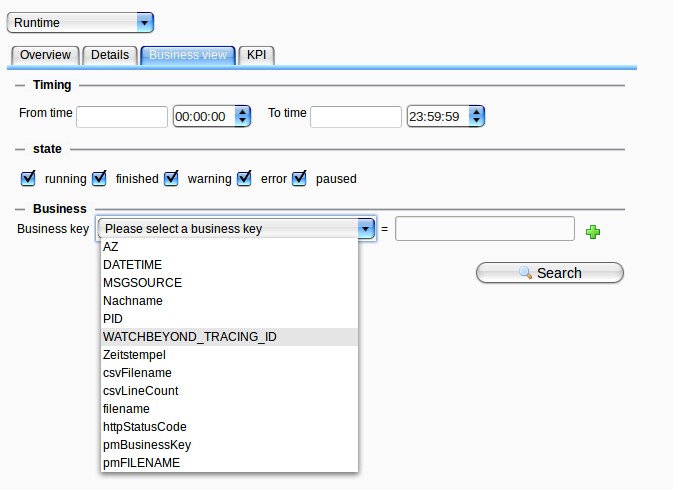
At the top, you can specify the period for searching business keys. If the fields are left empty, as shown above, there will be no time restrictions for the search. Additionally, you can filter by process state(s) to include specific processes in the search for business keys.
Next, select the business key of interest. The search is scenario overlapping, meaning that if the same business key name is defined in different scenarios, all matching scenarios will be included in the output. Therefore, the business key name is critical. Wildcards for the value field are % and *.
You can also search for multiple business keys. Click the green + button on the right to add an additional condition. Conditions can be linked using "AND" or "OR".